PropTech
Floor plans to an indoor navigation graph
The problem they had
The team had thousands of architectural PDFs and a product that needed routable indoor maps. Building those by hand took a draughtsperson the better part of a day per building, which capped how fast they could add buildings at all.
What came in
Vector and raster architectural PDFs at varying scales, across commercial office buildings.
What went out
A GeoJSON spatial graph per floor, plus room metadata, delivered through a service endpoint.
What we built
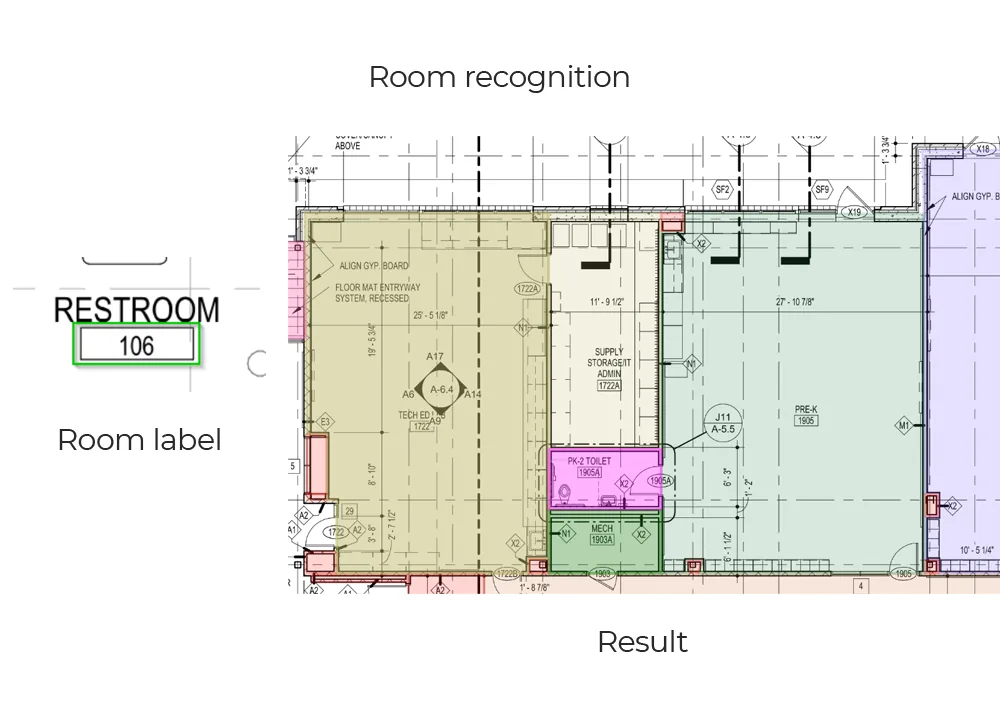
- Wall segmentation and room polygon closure from the plan geometry
- Door detection, with each door tied to the two spaces it joins
- A graph construction step turning rooms into nodes and doors into edges
- GeoJSON export with room metadata alongside the graph
What changed
- Map preparation went from most of a working day per building to minutes of processing plus a review pass
- Room polygons and door connections came back accurate enough on their standard plan stock to route through, with a reviewer correcting the rest
- The graph format dropped into their existing navigation front end without changes on their side
Where it stopped
This was a proof of concept rather than a system we then ran in production. It was scored on their sample, not on a live traffic mix, and buildings with atria and open-plan floors needed a convention decided before the results were consistent.
Start here
Your drawings are not these drawings
- One sheet is enough — PDF, DXF or a scan
- Back in about 2 business days, with an annotated overlay
- No call required, NDA on request
Send us one sheet
We run it through our floor plan models and send back the extracted data with an annotated overlay, so you can see what comes off your own drawings before anyone books a call.
- Back in about 2 business days
- PDF, DXF or a scan
- NDA on request
Get in touch
Tell us what is on your drawings
Describe the sheets you get and what you need off them. We will tell you what our models already handle, what needs fine-tuning on your drawings, and what is not worth automating at all.
- Reply time
- Within 1 business day
Would rather show than tell? Send one sheet for a free analysis