Free plan analysis
Send one sheet. See what comes off it.
- Back in about 2 business days
- No call required
- NDA on request
Send us one sheet
We run it through our floor plan models and send back the extracted data with an annotated overlay, so you can see what comes off your own drawings before anyone books a call.
- Back in about 2 business days
- PDF, DXF or a scan
- NDA on request
Being straight about it
What comes back is our base model, before tuning
So the result is a starting point, not the best we can do. If our models already handle your sheets well, the project is straightforward. If they miss your symbols and mangle your title block, that is useful too: it tells you what tuning has to cover, and roughly how much work that is.
Occasionally it tells you not to bother, and we will say that as readily. A scan with no recoverable detail is not a tuning problem.
What fine-tuning changesWhat you get back
Data and an overlay
- Every room found, with its name and area
- Wall lengths, door and window counts
- Text and dimensions read off the sheet
- An annotated overlay to check it against
- A short note on what tuning would need to cover
The layers it will try
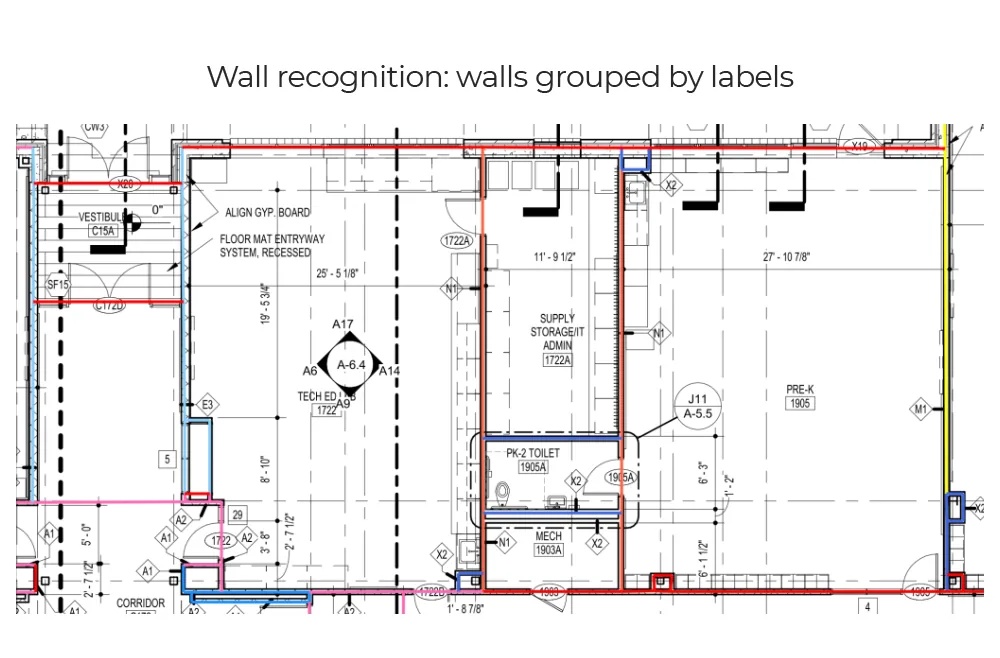
Walls
Wall runs are traced and grouped by the type label on the drawing, so partitions and exterior walls can be measured separately.
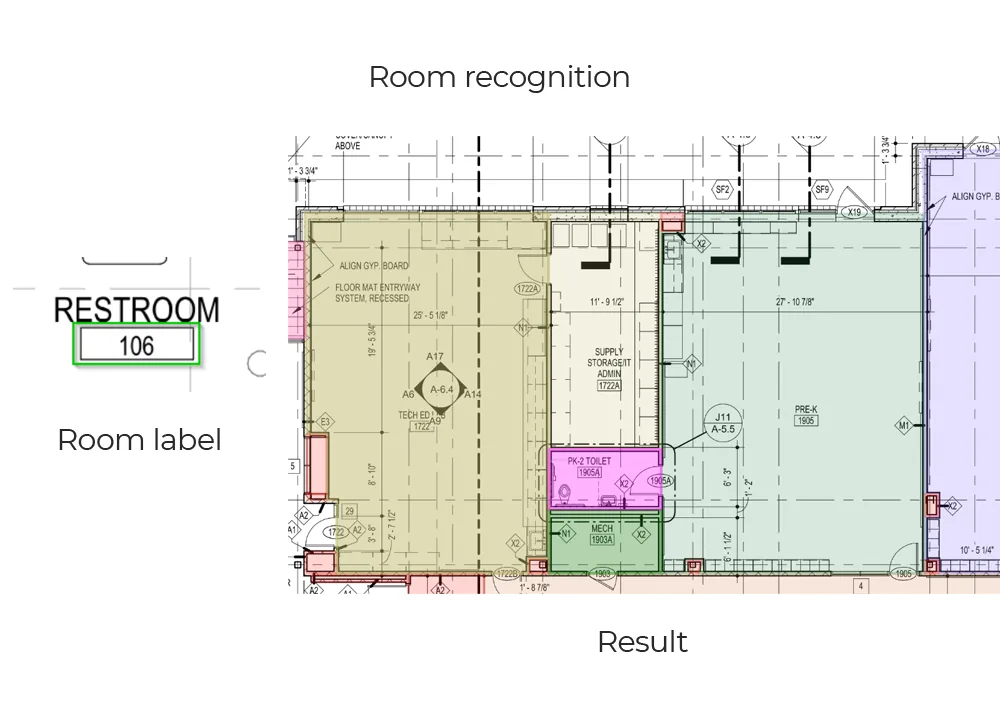
Rooms and areas
Room tags like “Restroom 106” are read, and the enclosed space around each tag is filled in as a polygon with an area at drawing scale.
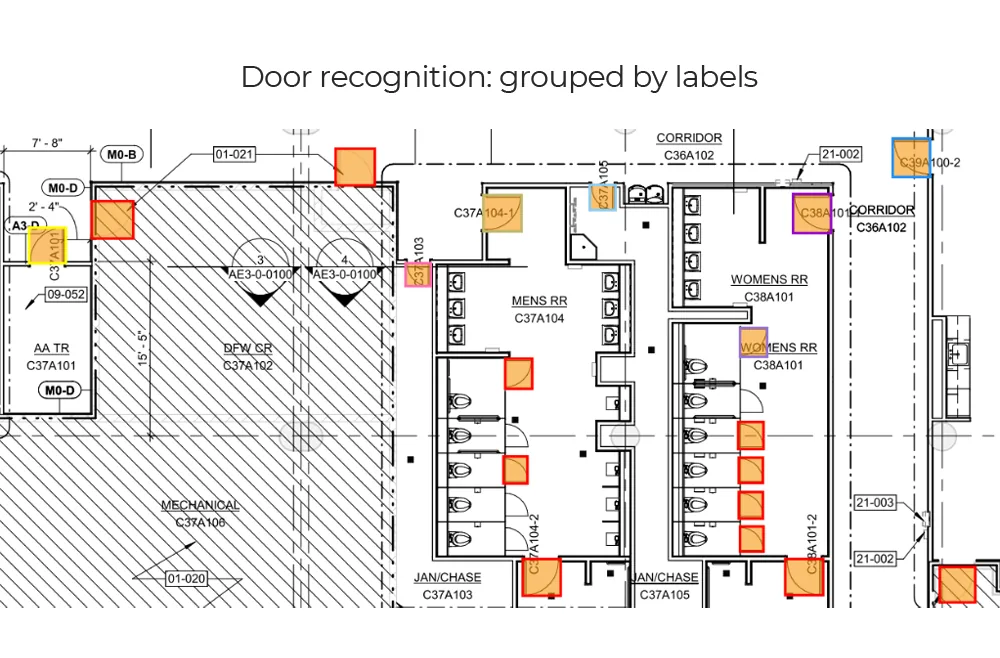
Doors
Door symbols are detected with their swing and grouped by tag, ready to match against the door schedule for widths and fire ratings.
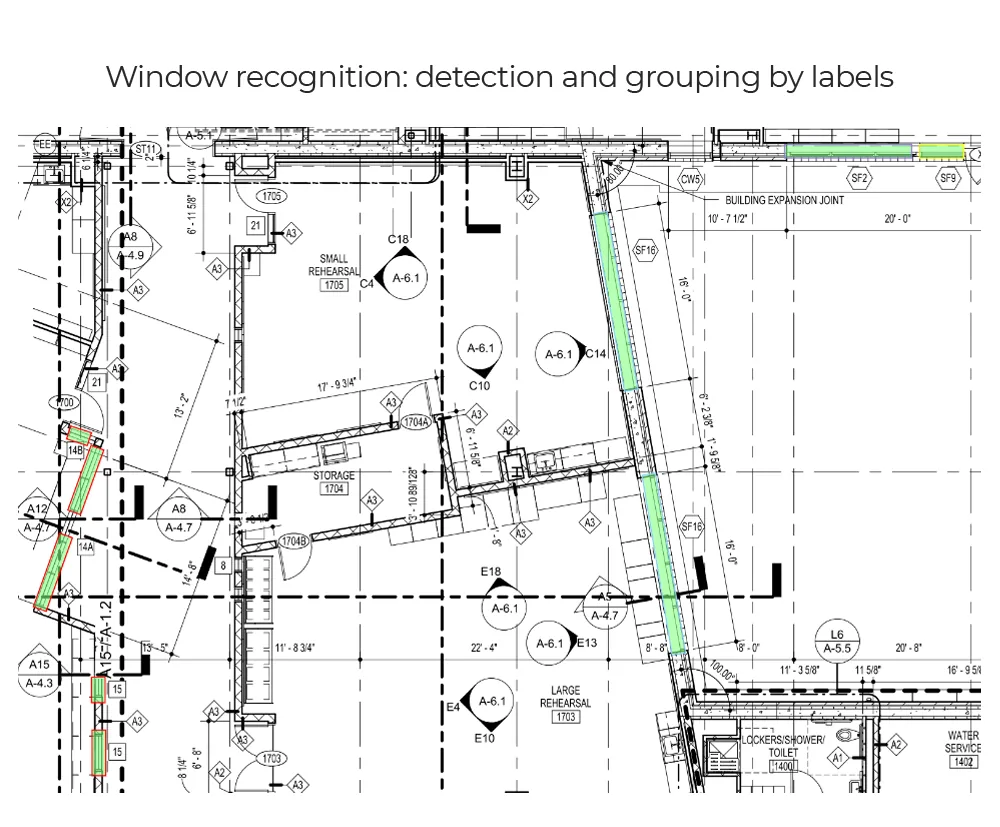
Windows
Windows are found along straight and angled walls and grouped by their labels, including long storefront runs.
Tags and symbols
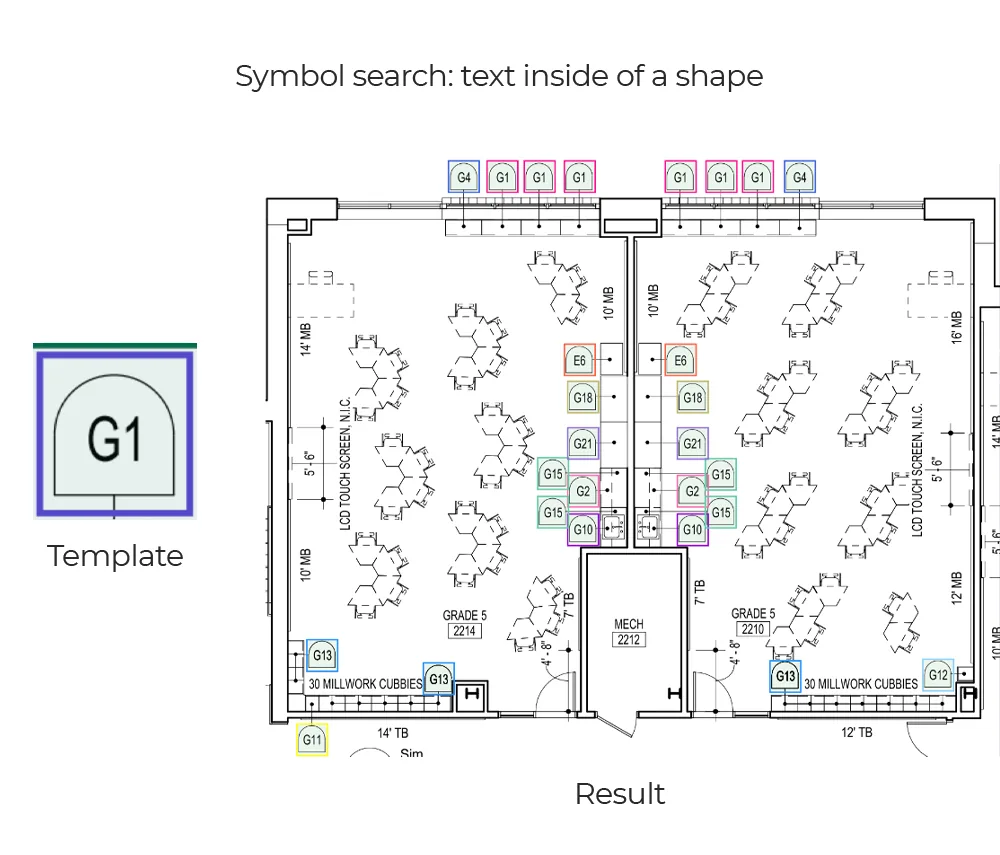
A template symbol, such as a G1 tag, is searched across the sheet, and every match is read, located and counted.
Hatch patterns
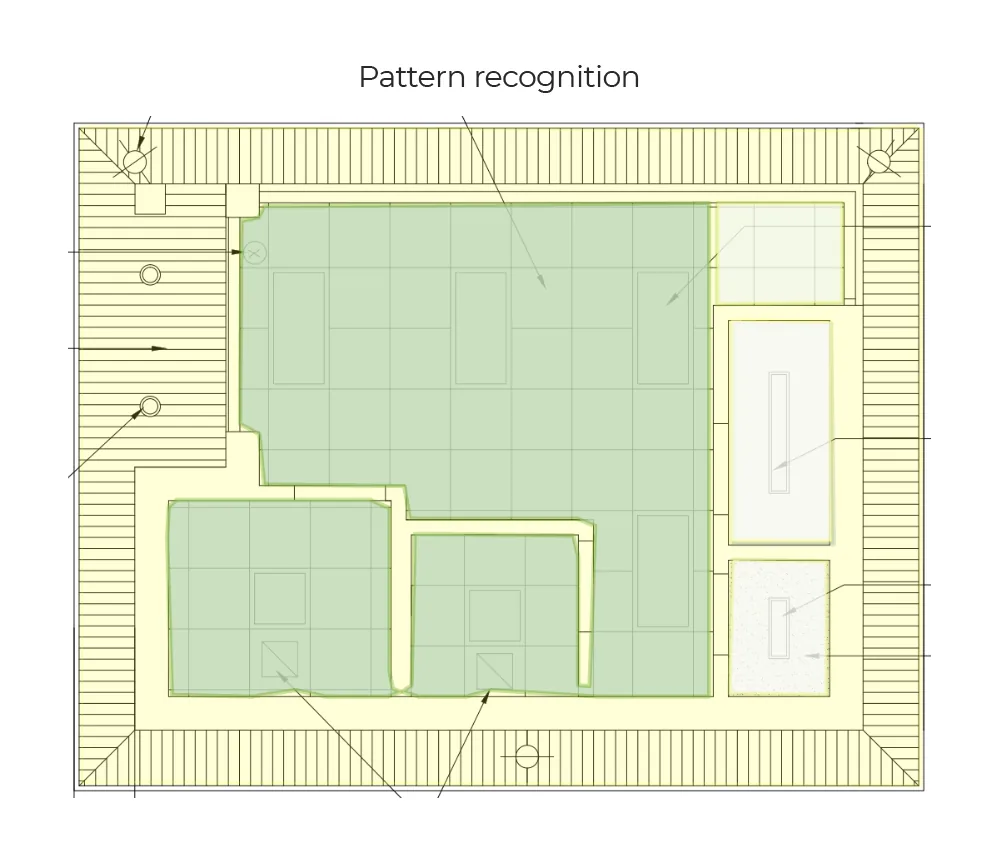
Hatched and patterned regions are recognised, so areas can be separated by finish or material.
FAQ
Questions, answered
Rather talk first? Get in touch.
Put it on Drive, Dropbox or WeTransfer and paste the link into the form. Plan files are often too large for an email attachment, and a link means you can revoke access afterwards.
A representative one, and if you have a choice, an awkward one. A clean vector plan will look impressive and tell you very little about the drawings that actually cause you trouble.
Yes, just ask in the form and we will send one over before you share anything. Your drawing is used for your analysis and nothing else — never to train models for other clients.
It costs us an hour or two of compute and attention, and it is a better sales conversation than a slide deck. If the answer is that your job is not worth automating, you get that answer for free as well.
We send the result and leave it with you. If you want to go further, the next step is usually a scoped proof of concept on a larger sample of your drawings, measured against your own manual results.